Sunday, 4 September 2022

Guide to using Sweepstakes Office pools file A7

Guide to using the SmartCoder 247 Sweepstakes/Office Pools Qatar 2022 file to Create a Mini Office Predictions competition 

[20 slots max**]


** Maximum slots available are 20 and can not be increased due to level of processing resources required to run this file. If you need more predictions slots, suggest you; - use two or more Master files and merge summary elsewhere, - or alternatively use Office Pools spreadsheets created by other people (do a search on the internet), - or use on-line Qatar 2022 fantasy leagues created by major organisations (do a search on the internet nearer the start of Qatar 2022 competition). 
 
  
Actions Before Qatar 2022 Starts (20 November 2022) : 

1. The Administrator Purchases the Qatar 2022 Sweepstakes/Office pools Excel file (Option "A" Master File).
 
Option A includes copy of File A and File B. One Purchase of File A by the Administrator gives licence to the Administrator to make 20 copies of Files A & B to use within the office group (i.e. users within group should not purchase the files, as required files will be provided by the Administrator per the main admin licence). 
 
2. Within this file,  Go to Home> Points System> ,  and modify predictions accuracy weights if needed (or just go with defaults);
 
 Screen 1


Screen 2


3. Admin should also agree with office group whether the predictions challenge will be: 

     - with Original predictions and Optional revised KO (Knock-Out stage) predictions 

    - or just Original prediction. 

See step 8 for KO stage predictions Option.


4. If the Master file (A) can be shared/placed on local drives,  ask users to enter their Original predictions for all the 64 games directly on to blank prediction slots (see screens 3+ 4) before the Cup starts (20 November 2022). 

If not possible to share Master file (A),  Distribute the accompanying Lite file (B5) to users and follow steps 4b below. 

4a - Method 1 - Using Master file (A7) to enter predictions Directly: 

Screen 3


Screen 4


4b. Method 2 - Using the Lite Distribution file (B5) to enter predictions.         

4b.1. Users complete their predictions for all the 64 games using the Lite file (B5) Chart 5 and return the file B5 to Admin OR return just the "Predictions Serial" to Admin. 


 Screen 5


Screen 6
 

Example of prediction serial which needs to be returned to your Administrator here: 

Screen 7


4b.2. Administrator loads received predictions to Master file (A) using the load option within the Predictions sheet (screen 8) or via mass import/export sheet (screen 9). 

 Screen 8


Screen 9


Screen 10


5. Once the Office/predictions group has completed their predictions , the Admin must consolidate all users predictions onto the Master file (A) and check all users have made predictions for the whole 64 games before start of the cup. 

The Admin can use the section on the summary sheet to verify original user predictions are complete - see screen 11.

Once verified Admin should send a copy of the Master file (A) to users to view groups original predictions. 

Screen 11


During the Qatar 2022 World Cup:   

6.1. Once the cup starts , the Admin needs to maintain and update Actual scores sheet of the Master file (A).           

6.2. Admin should provide regular updates/copies of Master file/actual scores serial to user group so they can check their standings using the multiple dashboard included in the master file. 


7. Dashboards 

The Master file contains a number of dashboards for users to compare their predictions and check their standings within the group. Actual scores need to be entered manually onto the Master file (chart 1). (Note: This file does not contain any links to Live score Internet feeds and this file will never ask for internet connection nor send information across the Internet for security reasons). 

(example from Euro 2020)

***

Optional KO stage new predictions option 

8.1. Admin should agree with the office group before the start of Cup whether the Optional KO predictions challenge will be played by the office group. If agreed , follow the following time dependent steps.

8.2. On 2 Dec 2022 after Game 48:

  • Ensure All actual Qatar 2022 group stage games are 100% complete per FIFA (i.e. Games 1-48 have been played). 
  • Ensure Chart 1 of File A (also Chart 1 of File B for users) contains Actual FIFA 2022 scores. 
  • If users do not have the actual scores in chart 1 , the Admin should send the users the "actual scores serial code" to load into their user copy of file A/B 
  • or send a copy of completed File A/B for the users to input KO stage predictions. 
 Screen 12

 
 Screen 13


8.3. On the Predictions slot of File A (or predications Chart 5 of File B), users need to complete the optional Knockout stage predictions section near the bottom of the screen (see pictures below). 

Screen 14 


   Screen 15

8.4. Users must not alter their original predictions, instead they must complete Revised predictions in KO section below for the FULL remaining Knock out stages including the final (i.e. complete scores for whole of Round 2, all Quarter finals, both semi-finals and final all at once before game 49 kick off 3 December 2022). 

Users must Submit their Revised prediction serial (or their file) to the File A Administrator before Game 49 Kick-off/3rd December. 

 Screen 16


8.5. Once the Office/predictions group has completed their revised KO predictions , the Admin must consolidate all users revised KO predictions onto the Master file (A) and check all users have made predictions for the whole of KO stages games (including Final) before start of game 49 (3rd Dec).

The admin can import the user predictions onto master file one by one using the serial in put section in each prediction slot of file A, or the bulk import/export sheet of file A. 

Screen 17


8.6. The Admin can use the section on the summary sheet to verify user optional Revised predictions are complete - see screen.

Once verified Admin should send a copy of the Master file (A) to users to view groups revised KO predictions and follow their standings in competition.

Screen 18 


 *****

Example of dashboards in File A7

Note: scores shown in these screen shots are "made up" (i.e. not actual scores) to demonstrate dashboards and graphics capability of file. 

 (Examples from Euro 2020 which Qatar 2022 also uses)


*****


Sunday, 25 April 2021

Euro 2020 Wall Charts and Excel Spreadsheets

*** Archived ***

Official SmartCoder247 Site for Euro 2020

 Euro 2020 Football Wallcharts and Excel Templates


  Contents


Option A
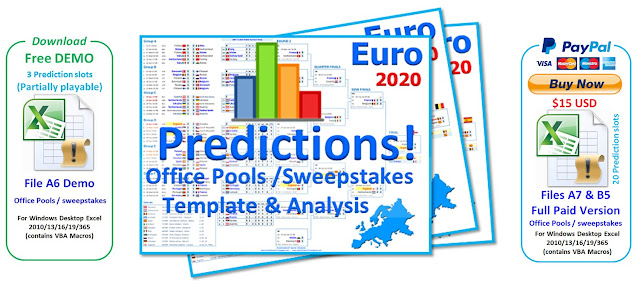
Euro 2020 Sweepstakes Office Pools and Predictions Charts for Microsoft Windows Excel (PC desktop versions only). Includes 4 different wall charts , 20 Predictions slots and predictions comparison analysis:


Option B
LITE Euro 2020 Wallcharts for Microsoft Windows Excel (PC desktop versions only). 4 interactive Wall Charts and translations for 35+ languages:


Option C 
Free JPG/JPEG and PDF posters/wallchart

http://excelgames247.blogspot.com/2019/05/option-c-free-rugby-world-cup-japan.html

 
***


Guide to using Office Pools file A7 here

Who do You think is going to win Euro 2020 Cup? Smartcoder 247 team predictions here!

Create your own interesting Posters/Wall Charts - see how here!


Saturday, 24 April 2021

Option A - Euro 2020 Sweepstakes Excel Chart

*** Archived ***

Option A: Ultimate Euro 2020 Sweepstakes/Office Pools Microsoft Excel Chart!!

Euro 2020 Sweepstakes office pools predictions excel spreadsheet

 The Most Advanced  Euro 2020 Chart for PC desktop versions of Windows Microsoft Excel 2010/2013/2016/2019/365.

(download the free demo to test on your system first before purchase) 


  Download FREE 
Demo


Video Demonstration of this Euro 2020 Template (A7) :


 Requirements for running Smartcoder247 Euro 2020 Excel File A:

  • PC Desktop versions pf Microsoft Excel (versions 2010/2013/2016/2019/365) running on Windows Vista/7/8/10.
  • VBA Macros must be enabled to run file.


This file will not work on older versions of Excel (eg 2003 & 2007).
This file will not work on Excel running on Apple Mac iOS systems or on mobile Android devices.
This file will not work in Google Drive/Google Sheets


File Contains:


1. Printable and Interactive Euro 2020 Chart Template for you to fill in during the Cup or just test out Scenarios and Predictions for your favourite teams! 

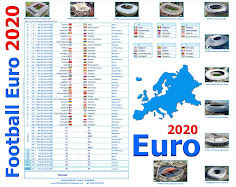
2. Euro 2020 Stadium Calendar!
3. Euro 2020 Tables Calendar! 

4. Euro 2020 Bracket layout!

5.  Contains 24 timezone times.

6. Languages (35) 
 
7. Contains Country Flags which move with the Team.

8. Option to highlight your favourite team.

9. Ability to add your own Translation, or change/swap team names with Peoples names!

10. Ability to Partially Customize Chart Titles/Name and Create your Own Euro 2020 PDF Posters! – Create your own interesting Titles now!!

11. Contains Office pools / Sweepstakes Predictions templates. Create your own mini competitions with your office workers / college friends using the 20 predictions slots! Template also contains partially modifiable point system allowing you to reset prediction accuracy weights /scores or use recommended values. 

User Guide here


Disclaimer

Files on this website are sold as is without any guarantees or warranty. Smartcoder 247 is not responsible for any damages, inaccuracies or losses of any kind caused by the use or misuse of these File. You use these files at you own risk. NO Passwords will be issued for any Files on this or related SmartCoder247 sites (No request for file passwords will be answered).

Smartcoder247 Files contain VBA Macros. To ensure some Security please Only download through this official website and always scan your downloads with reputable Virus scanners.

All Files and Posters must NOT BE RESOLD and Excel files must not be edited in anyway beyond the “customise chart names” parameters (i.e. VBA code , formulas , protection and structure are not altered).

SmartCoder247

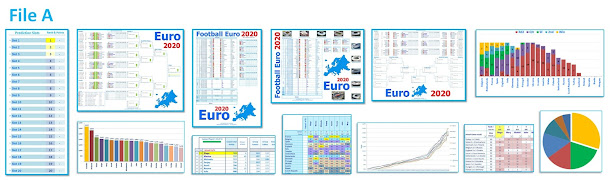
 File A Contents (click on picture to zoom in)

Euro 2020 Sweepstakes office pools predictions excel spreadsheet
 Euro 2020 Sweepstakes office pools predictions excel spreadsheet
*****
Euro 2020 2021 Wall Chart posterEuro 2020 Match Schedule
Euro 2020 Soccer Football BracketEuro 2020 Stadium poster

*****


Friday, 23 April 2021

Option B : LITE Euro 2020 Charts for Microsoft Excel

LITE Euro 2020 World Cup Charts for Windows Desktop PC Microsoft Excel (2010/2013/2016/2019/365)

Smartcoder247 Euro 2020 Wall Charts Excel


Advanced Euro 2020 Wallcharts for Microsoft Windows Excel


Ver. B5.00 (4MB) 
 Flags move with Country (contains VBA Macros)

Download Free Demo or Buy Full Version Below


If you purchase our Smartcoder247 Sports Files, please ensure you enter a valid email on PayPal Contact section and check your spam/junk mail folder in case our emails get incorrectly filtered.


See Guide Here for Making Payment via PayPal

Terms of Purchase.
You are strongly advised to download the Free Demo first to test if this file will work on your computer before purchasing.

1). This Excel File is sold as is without any guarantees or warranty. Smartcoder247 is not responsible for any damages, inaccuracies or losses of any kind caused by the use or misuse of this File. You use this file at your own risk. 2). Purchase price is in US Dollars as stated on PayPal cart. 3). This will be a one-off purchase.4) This Purchase is non-refundable. 5). This File must Not be resold onwards to third parties/clients or distributed outside of your office pool/sweepstakes group. 6). No password will be provided & file must not be unlocked. 7). This File can only be used for the Euro 2020 Cup and must not be modified for use in any other Cup. 8). The is no obligation from Smartcoder247 to provide updates. 9). If there are bugs, Smartcoder247 is not committed to resolving them.

If you agree to these terms and price, please click on “Buy Now” PayPal button to complete purchase. Once purchase has been completed successfully you will be provided with a link to download the file.

Requirements for running Smartcoder247 Euro 2020 Excel File B:

  • Desktop Microsoft Excel (versions 2010/2013/2016/2019/365) running on Windows PC Vista/7/8/10.
  • VBA Macros must be enabled to run file.

This file will not work on older versions of Excel (eg 2003 and 2007).
This file will not work on Excel running on Apple Mac iOS systems or on mobile Android devices.
This file will not work in Google Drive/Google Sheets.


Contains:
1. Printable and Interactive Euro 2020 Chart Template for you to fill in during the Cup or just test out Scenarios and Predictions for your favourite teams! 

2. Euro 2020 Stadium Calendar!
3. Euro 2020 Tables Calendar! 

4. Euro 2020 Bracket layout!

5.  Contains 24 timezone times.

6. Languages (35) 

 
7. Contains Country Flags which move with the Team.

8. Option to highlight your favourite team.

9. Ability to add your own Translation, or change/swap team names with Peoples names!

10. Ability to Partially Customize Chart Titles/Name and Create your Own Euro 2020 PDF Posters! – Create your own interesting Titles now!! 


For a demonstration of how to use this Euro file see YouTube videos  here
 
 
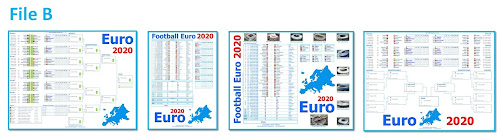
Charts Included in File B5:
 
Euro 2020 Wall Chart BracketEuro 2020 Match Schedule
Euro 2020 Match Schedule BracketUEFA Euro 2020 Stadiums and Schedule
 
 
Disclaimer

Files on this website are sold as is without any guarantees or warranty. Smartcoder 247 is not responsible for any damages, inaccuracies or losses of any kind caused by the use or misuse of these File. You use these files at you own risk. NO Passwords will be issued for any Files on this or related SmartCoder247 sites (No request for file passwords will be answered).

Smartcoder247 Files contain VBA Macros. To ensure some Security please Only download through this official website and always scan your downloads with reputable Virus scanners.

All Files and Posters must NOT BE RESOLD and Excel files must not be edited in anyway beyond the “customise chart names” parameters (i.e. VBA code , formulas , protection and structure are not altered).

SmartCoder247